
Lot tracking
Every lot and expiration date, on your phone.
When a manufacturer issues a recall, the question is simple: do I have this lot, or did I use it? Rastro records the lot and expiration of every package from its barcode, and keeps that trail from delivery to the last unit.
Get early accessComing soon to iPhone. Explore a preview below.
How it works
Lot captured on arrival
Scanning a box records its lot, expiration date, and serial number. There's nothing to copy off the label.
Lot carried with every use
Each unit and syringe you record is tied to its package's lot, including usage that spans two vials.
Search by lot
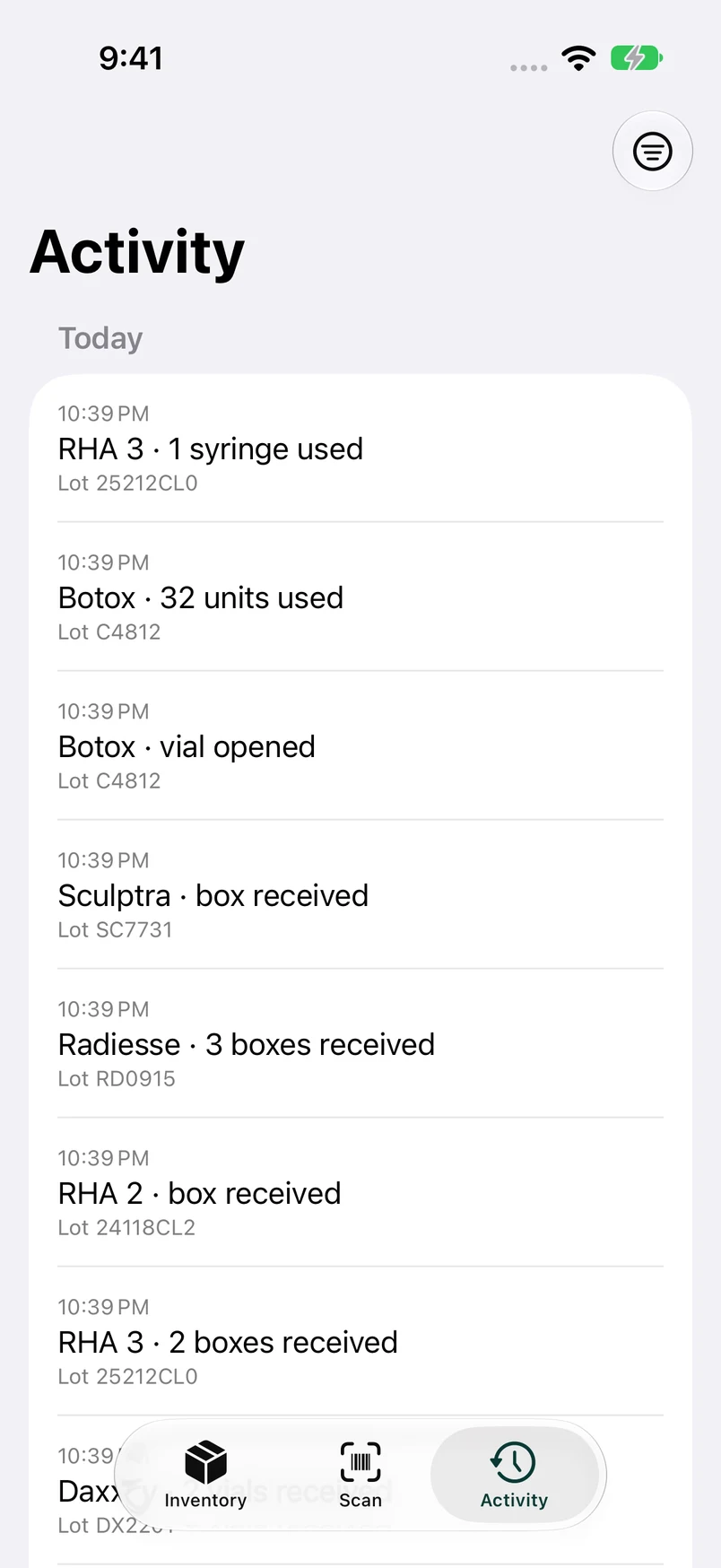
In Activity, type part of a lot number to see every package from that lot: received, used, moved, or still on the shelf.
A record you can rely on
Expiring soon, flagged
Packages expiring within 60 days, and any already expired, are called out on the Inventory screen.
Nothing is erased
Undo doesn't delete an entry. It's kept in the history, marked as undone, so the record stays complete.
Filter by date and location
Narrow Activity to a day, a range, a product, or a location, for example to review a clinic day or check a supplier invoice.
Export anytime
Export inventory and activity to CSV, with lot, serial, and expiration for every package.
Questions
Can Rastro tell me if a lot has been recalled?
No. Rastro doesn't connect to the internet or check recall notices. When you hear about a recall, search Activity for the lot number to see whether you have it or used it.
Does Rastro record which patient received a lot?
No, by design. Rastro records what happened to your inventory, never who received it, so it holds no patient information.
Where are lot records stored?
Only on your iPhone. Rastro has no server. Export to CSV from Settings whenever you want a copy.